
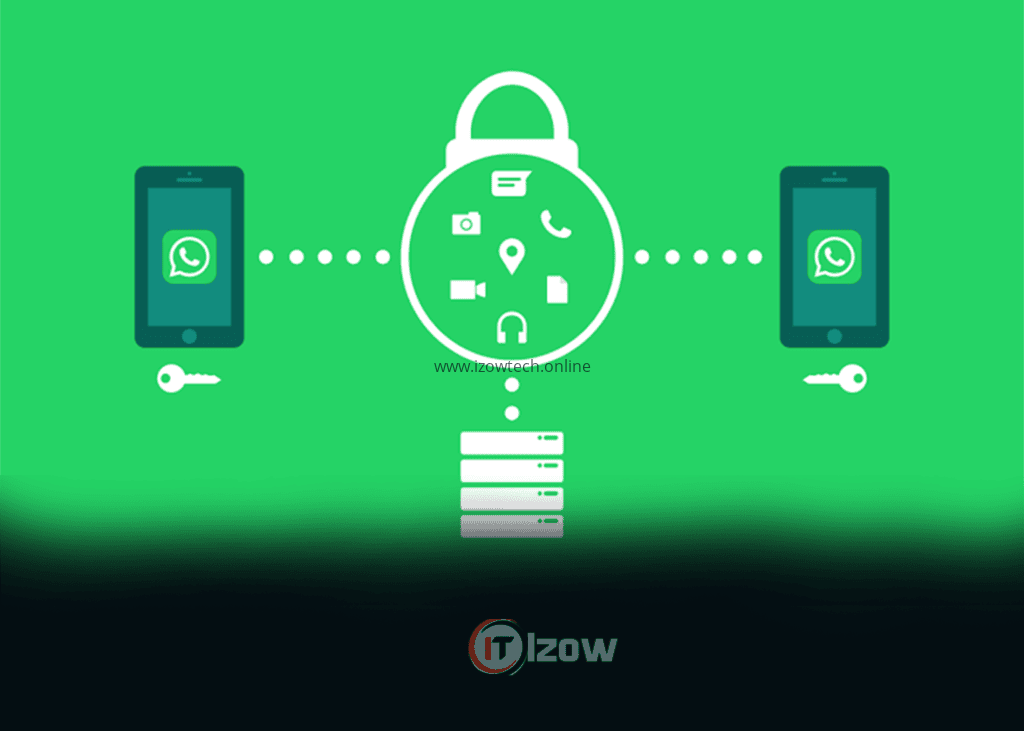
How to Protect Your WhatsApp Account from Hackers
WhatsApp has become one of the most widely used messaging applications in the world, connecting billions of people through text messages, voice calls, video calls, and file sharing. For many users, it is also linked to personal conversations, business communication, financial transactions, and sensitive information.
Unfortunately, its popularity also makes it a common target for cybercriminals. Every day, scammers attempt to steal WhatsApp accounts through fake verification codes, phishing messages, SIM swap fraud, malicious links, and social engineering attacks.
Losing access to your WhatsApp account can expose your private conversations, contacts, and even lead to financial scams carried out in your name.
The good news is that most WhatsApp account compromises can be prevented by following a few simple security practices. This guide explains the most common threats and the best ways to keep your WhatsApp account safe, Protect WhatsApp Account
Why Hackers Target WhatsApp Accounts
Hackers don’t usually attack WhatsApp just to read messages. Their goals often include:
- Impersonating you to scam your family and friends.
- Stealing personal information.
- Accessing business conversations.
- Spreading malicious links.
- Conducting financial fraud.
- Selling stolen accounts on illegal marketplaces.
Even a single compromised account can be used to target dozens of people in your contact list.
1. Enable Two-Step Verification
This is one of the most important security features available in WhatsApp.
Two-Step Verification adds a six-digit PIN that is required when your phone number is registered on a new device. Even if someone obtains your SMS verification code, they still need your PIN to complete the setup.
How to Enable It
- Open WhatsApp.
- Go to Settings.
- Tap Account.
- Select Two-Step Verification.
- Tap Turn On.
- Create a unique six-digit PIN.
- Add a recovery email address.
Choose a PIN that is difficult to guess and never share it with anyone.
2. Never Share Your Verification Code
One of the most common scams involves someone asking for the six-digit verification code sent by WhatsApp via SMS.
Scammers may pretend to be:
- A friend.
- A family member.
- WhatsApp Support.
- A mobile network representative.
- A business partner.
Remember:
WhatsApp will never ask you for your verification code through chat, phone calls, or email.
If anyone requests this code, it is almost certainly a scam.
3. Beware of Phishing Messages
Cybercriminals often send fake messages containing links that appear legitimate.
Examples include:
- “Your WhatsApp account will be suspended.”
- “Click here to verify your account.”
- “You have won a prize.”
- “Update your account immediately.”
Before clicking any link:
- Check the sender carefully.
- Look for spelling mistakes.
- Avoid shortened or suspicious URLs.
- Never enter your phone number or verification code on unknown websites.
4. Protect Your SIM Card
SIM swap fraud is becoming increasingly common.
In a SIM swap attack, criminals convince a mobile network operator to transfer your phone number to a SIM card under their control. Once successful, they can receive your SMS verification codes.
To reduce this risk:
- Set a SIM PIN if your mobile operator supports it.
- Keep your mobile account information private.
- Contact your network provider immediately if your phone suddenly loses signal without explanation.
5. Lock Your Phone
Your phone is the first layer of security for your WhatsApp account.
Always protect it using:
- Fingerprint authentication.
- Face recognition.
- A strong PIN.
- A secure password.
Avoid using simple PINs such as:
- 1234
- 0000
- 1111
- Your birth year
A strong device lock helps prevent unauthorized access if your phone is lost or stolen.
6. Enable App Lock
WhatsApp offers an additional privacy feature that requires biometric authentication before opening the app.
This means that even if someone unlocks your phone, they still need your fingerprint or face recognition to access your chats.
7. Keep WhatsApp Updated
Software updates often include important security fixes.
Using an outdated version may leave your account vulnerable to known exploits.
Enable automatic updates through your device’s app store to ensure you always have the latest version.
8. Be Careful with WhatsApp Web
WhatsApp Web is convenient, but it should only be used on trusted devices.
Regularly review connected devices:
Settings → Linked Devices
If you notice an unfamiliar device:
- Log it out immediately.
- Change your passwords if necessary.
- Review your recent account activity.
Never leave your WhatsApp account logged in on public or shared computers.
9. Avoid Downloading Modified Versions
Applications such as unofficial or modified versions of WhatsApp may promise extra features, but they often come with significant security risks.
Potential dangers include:
- Malware infections.
- Data theft.
- Privacy violations.
- Permanent account bans.
Always download WhatsApp from official app stores.
10. Don’t Trust Every Message
Scammers frequently use emotional or urgent messages to pressure victims into acting quickly.
Examples include:
- “Send money immediately.”
- “I’m in trouble.”
- “Click this link now.”
- “Your account will expire today.”
If a message seems unusual, verify it by calling the person directly before taking any action.
11. Secure Your Email Account
If your email is linked to WhatsApp recovery or other important online services, protect it with:
- A strong password.
- Two-factor authentication.
- Recovery options that only you control.
Your email account is often the gateway to many other online accounts.
12. Review Your Privacy Settings
WhatsApp allows you to control who can see your personal information.
You can choose who can view:
- Your profile photo.
- Last seen and online status.
- About information.
- Status updates.
- Live location.
Limiting visibility can reduce unwanted attention from strangers.
Common WhatsApp Scams
Be alert to these common scams:
Fake Job Offers
Scammers promise high-paying remote jobs but ask for registration fees or personal information.
Fake Investment Schemes
Messages claiming guaranteed profits from cryptocurrency or online investments are often fraudulent.
Giveaway Scams
Offers of free phones, cash prizes, or expensive gifts usually require victims to share personal information or send money.
Family Emergency Scams
Criminals may pretend to be a relative using a new phone number and urgently request financial assistance.
Always verify unexpected requests before responding.
Signs Your WhatsApp Account May Be Compromised
Watch for these warning signs:
- You are logged out unexpectedly.
- Contacts report receiving strange messages from your account.
- Unknown devices appear in Linked Devices.
- Your profile information changes without your knowledge.
- Verification codes arrive that you did not request.
If any of these occur, act immediately.
What to Do If Your WhatsApp Account Is Hacked
If you suspect unauthorized access:
- Try logging back into WhatsApp using your phone number.
- Enter the verification code sent to your phone.
- If Two-Step Verification is enabled, enter your PIN.
- Log out all linked devices.
- Inform your contacts that your account may have been compromised.
- Contact WhatsApp Support if you cannot regain access.
The sooner you respond, the lower the risk of misuse.
Best Security Habits
Make these habits part of your routine:
- Enable Two-Step Verification.
- Never share verification codes.
- Keep your phone locked.
- Install updates promptly.
- Review linked devices regularly.
- Be cautious with links and attachments.
- Verify unexpected requests through another communication method.
- Back up important data securely.
Frequently Asked Questions
Can someone hack my WhatsApp without my phone?
In most cases, they still need either your verification code or access to your phone number. Enabling Two-Step Verification significantly increases protection.
Is WhatsApp encrypted?
Yes. Personal messages and calls are protected with end-to-end encryption, meaning only the sender and recipient can read or hear them.
Should I use WhatsApp Web?
Yes, but only on trusted devices. Always log out after using shared or public computers.
Is Two-Step Verification necessary?
Absolutely. It is one of the most effective ways to protect your account from unauthorized registration.
Final Thoughts
Your WhatsApp account contains more than conversations—it often represents your digital identity. Protecting it requires a combination of good security habits, awareness of common scams, and the use of built-in safety features such as Two-Step Verification and device authentication.
Cybercriminals continuously develop new tactics, but staying informed and cautious dramatically reduces your risk. A few minutes spent strengthening your account today can prevent serious privacy issues, financial loss, and identity misuse in the future.
Take control of your security, review your settings regularly, and encourage your friends and family to do the same.
Published by Izow Technology
Empowering the Future Through Technology